

- The main interfaces are the synchronous
Clientand native aiohttp-basedAsyncClientinclickhouse_connect.driver. The driver package also provides query and insert contexts, streaming helpers, DB-API support, and lower-level HTTP methods. - The
clickhouse_connect.datatypespackage serializes and deserializes ClickHouse types using the ClickHouse Native binary columnar format. - The optional Cython extensions in
clickhouse_connect.drivercaccelerate common serialization, conversion, and buffering paths. A pure Python path remains available on platforms where the extensions cannot be built. - The package ships PEP 561 type information, so downstream type checkers consume annotations for the public driver, DB-API, and SQLAlchemy surfaces.
- The SQLAlchemy dialect in
clickhouse_connect.cc_sqlalchemysupports SQLAlchemy Core, schema reflection, ClickHouse-specific query clauses and table engines, and Alembic migrations. Basic ORM reads and inserts work, but the dialect is designed for analytical workloads rather than full unit-of-work ORM behavior. - The core driver and ClickHouse Connect SQLAlchemy implementation are the preferred method for connecting ClickHouse to Apache Superset. Use the
ClickHouse Connectdatabase connection, orclickhousedbSQLAlchemy dialect connection string.
The standard ClickHouse Connect clients use the HTTP interface. This supports HTTP load balancers, proxies, and common enterprise network controls. ClickHouse Connect also has an experimental in-process chDB backend.
Requirements and compatibility
The package includes compiled wheels where available and falls back to a pure Python implementation when the Cython extensions cannot be built. PyArrow is supported on Python 3.10 through 3.14. Python 3.14 requires PyArrow 22 or later.
Installation
Install ClickHouse Connect from PyPI via pip:git clonethe GitHub repository.- Change to the project root and run
pip install .. The build system installs Cython automatically to compile the optional C extensions.
clickhouse_connect.__version__.
Support policy
Update to the latest ClickHouse Connect release before reporting an issue. File issues in the GitHub project. ClickHouse Connect targets the actively supported ClickHouse releases at the time of each driver release. It often works with older server versions, but newer data types and protocol features can require a newer server.Basic usage
Gather your connection details
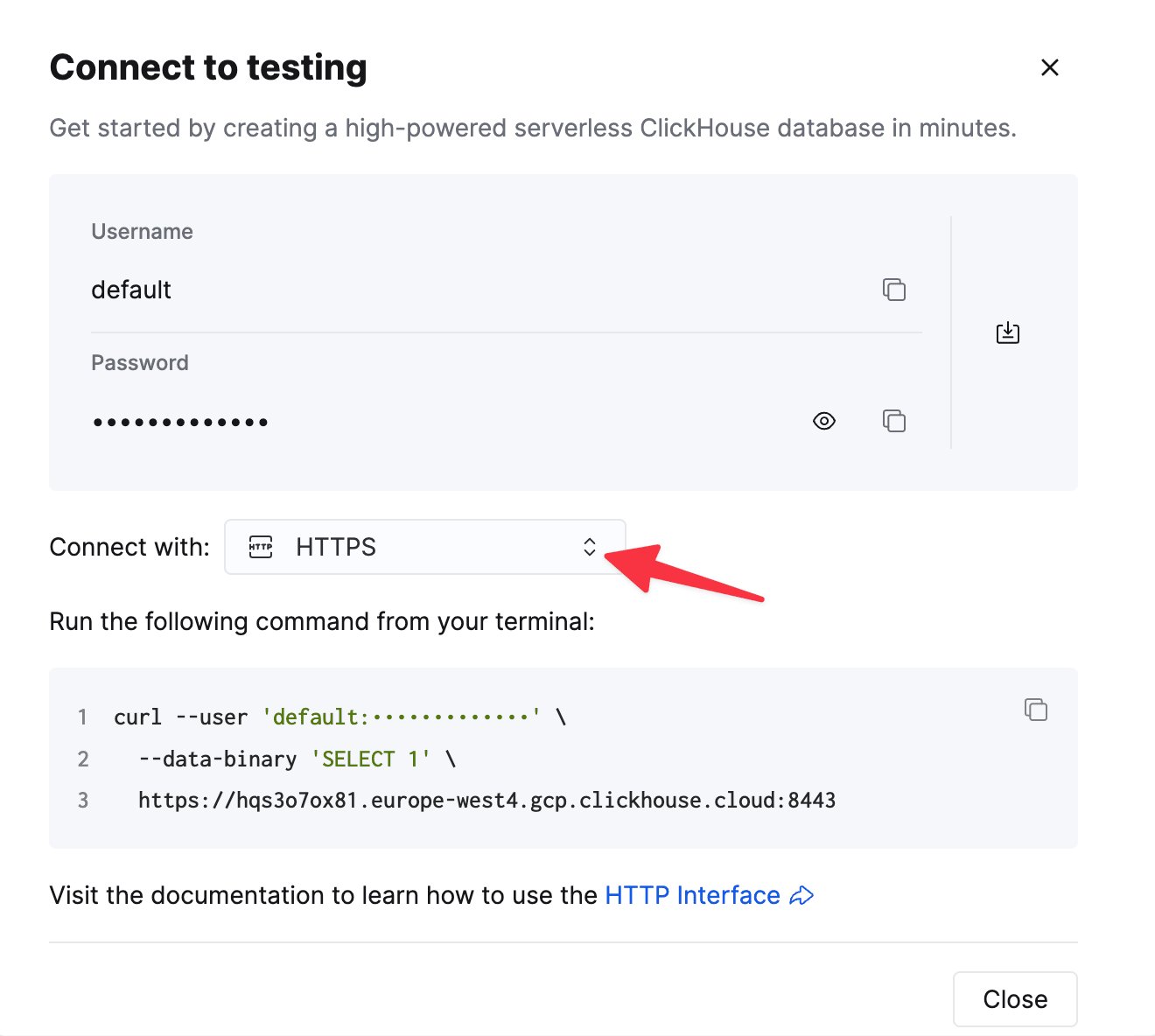
To connect to ClickHouse with HTTP(S) you need this information:
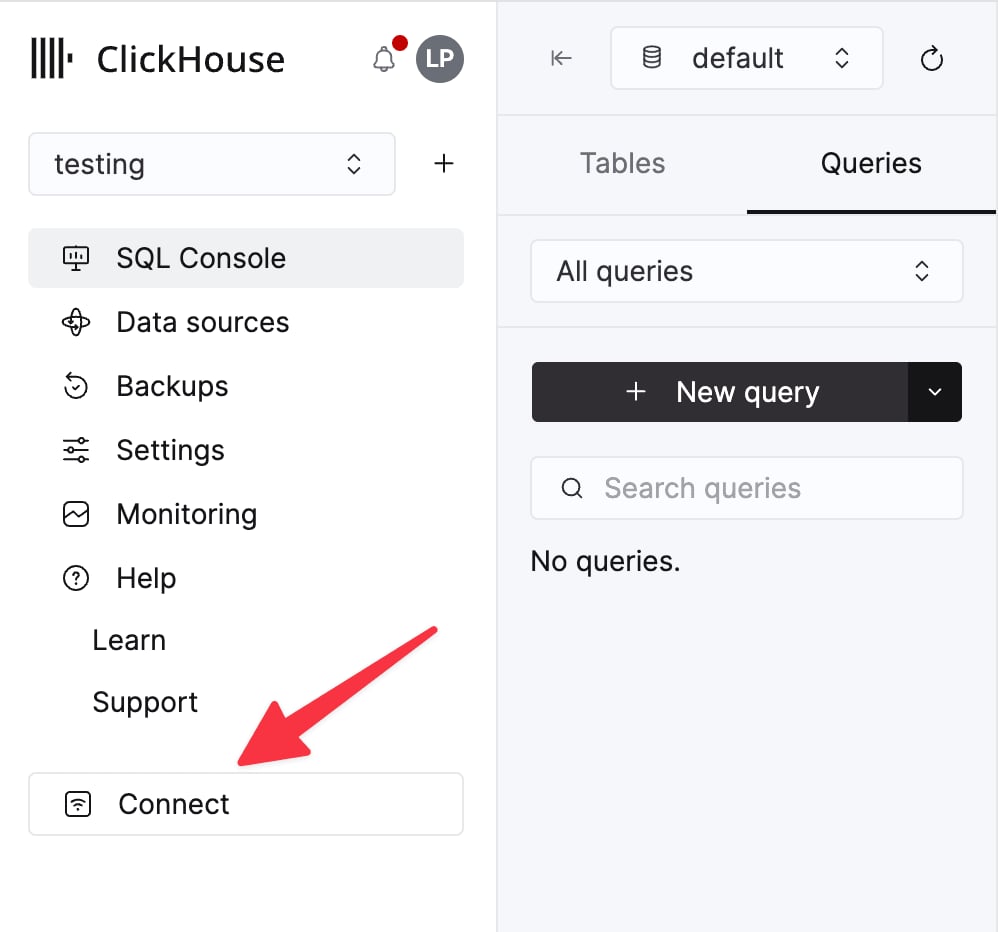
The details for your ClickHouse Cloud service are available in the ClickHouse Cloud console.
Select a service and click Connect:
curl command.
Establish a connection
There are two examples shown for connecting to ClickHouse:- Connecting to a ClickHouse server on localhost.
- Connecting to a ClickHouse Cloud service.
Use a ClickHouse Connect client instance to connect to a ClickHouse server on localhost:
Use a ClickHouse Connect client instance to connect to a ClickHouse Cloud service:
Interact with your database
To run a ClickHouse SQL command, use the clientcommand method:
insert method with a two-dimensional array of rows and values:
query method:
Embedded chDB backend
The experimental chDB backend runs ClickHouse queries inside the Python process without an HTTP server. Install thechdb extra, then select the backend with interface="chdb" or a chdb:// DSN:
path="/data/my_chdb" or use dsn="chdb:///data/my_chdb" for persistent storage. chDB allows one engine path per process. It does not support the async client or external data.